Adobe genuine software management mainly installs and uses your Adobe software through its Creative Cloud subscription model . If you have not installed it, please download and install it first
Download Adobe Creative Cloud
You can download Creative Cloud from the official website:

Download address:
You can also search for adobe creative cloud in the appstore to download Creative Cloud (it has been removed from the Apple China store, log in with an ID from another region to download)
- If your computer has pirated Adobe software such as PS installed, Creative Cloud cannot be installed normally
- Please uninstall the pirated version first and then install the genuine version (pirated Adobe software may fail to install successfully)
2. During the download process, it appears that the browser version is too low, or the browser does not support downloading Creative Cloud
- Please update to the latest version of your browser and use the new browser to download Creative Cloud.
Download the latest edge browser: ——Click here to download
Download the latest Firefox browser: —–Click here to download
The latest Google Chrome download address: ——–Click here to download
Method 1: Set up an Adobe account via email
Please contact customer service and send your email address to customer service. After customer service authorizes your email address, they will notify you and your email address will also receive an email from Adobe.
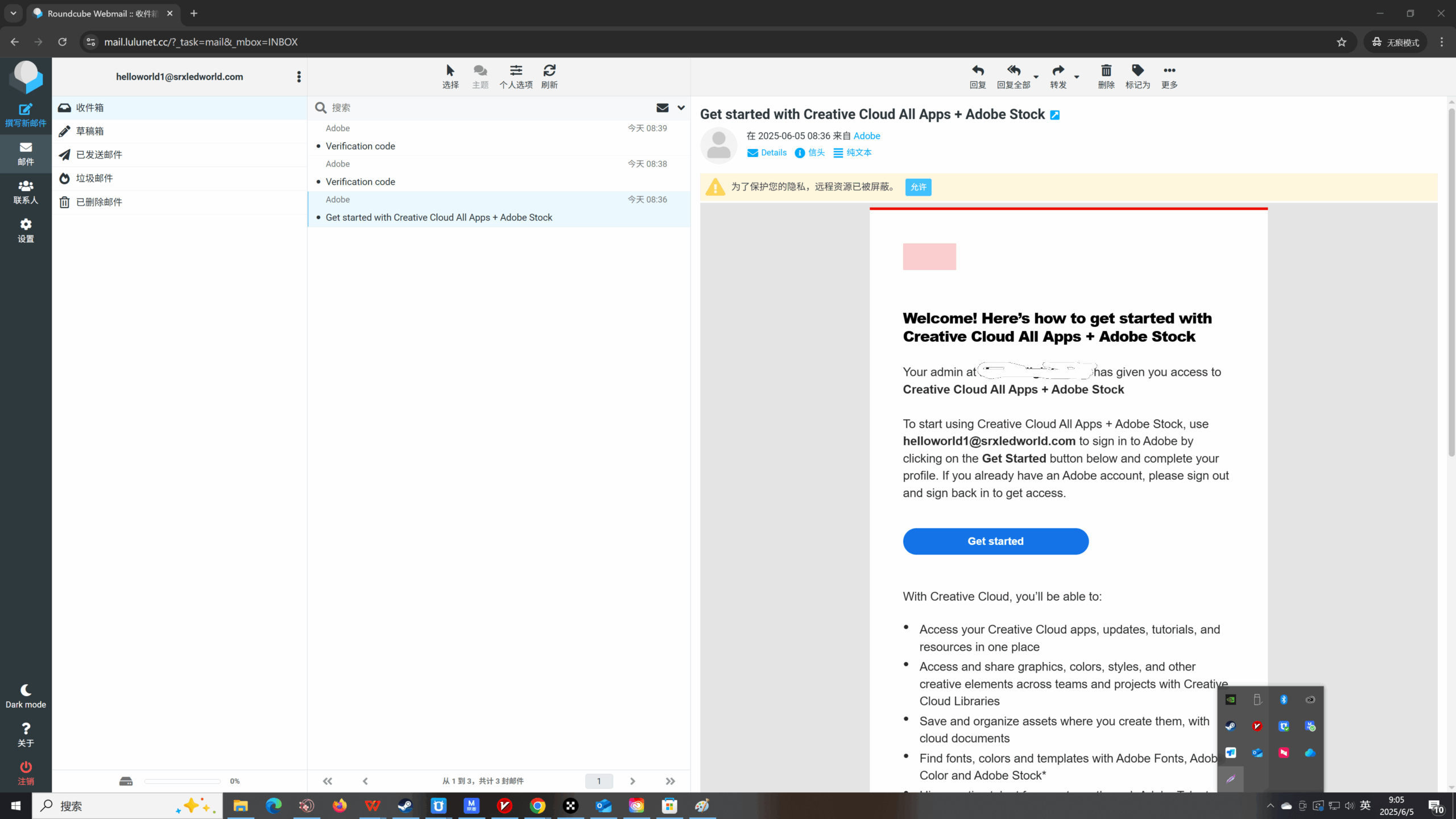
You can click get started in your email to complete your Adobe registration on the Adobe website
If your browser version is too low, please update to the latest version of Chrome to complete your registration.
New email registration Adobe Note: Country/Region: Please do not select Mainland China, Hong Kong, and Macau. Adobe in these regions does not enable AI generative mapping by default. It is best to select the United States here.
When you log in to Creative Cloud, you may encounter the following two options, please select according to the instructions below.
- A prompt appears asking whether to move the file –> Please choose to save the file in personal cloud storageProfile login appears ————> Please select team profile login (do not use personal profile login)
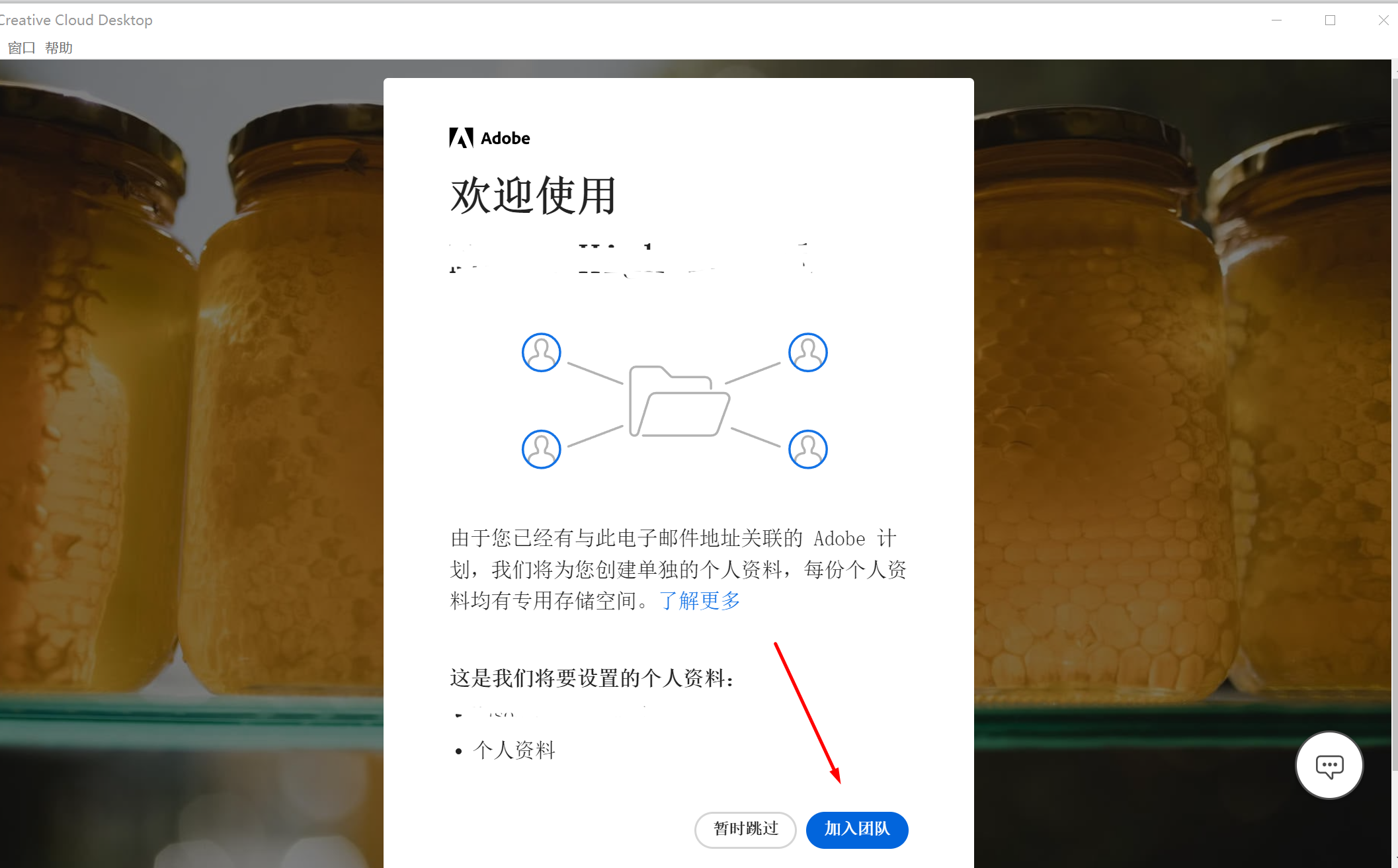
- The message “Do you want to join the team?” appears – Please choose to join the team
If you were already logged in to Creative Cloud before joining Teams, click your profile icon in the upper-right corner, then click Sign Out and Sign Back In.
Note: Please log in with your email address, please do not use the following social logins
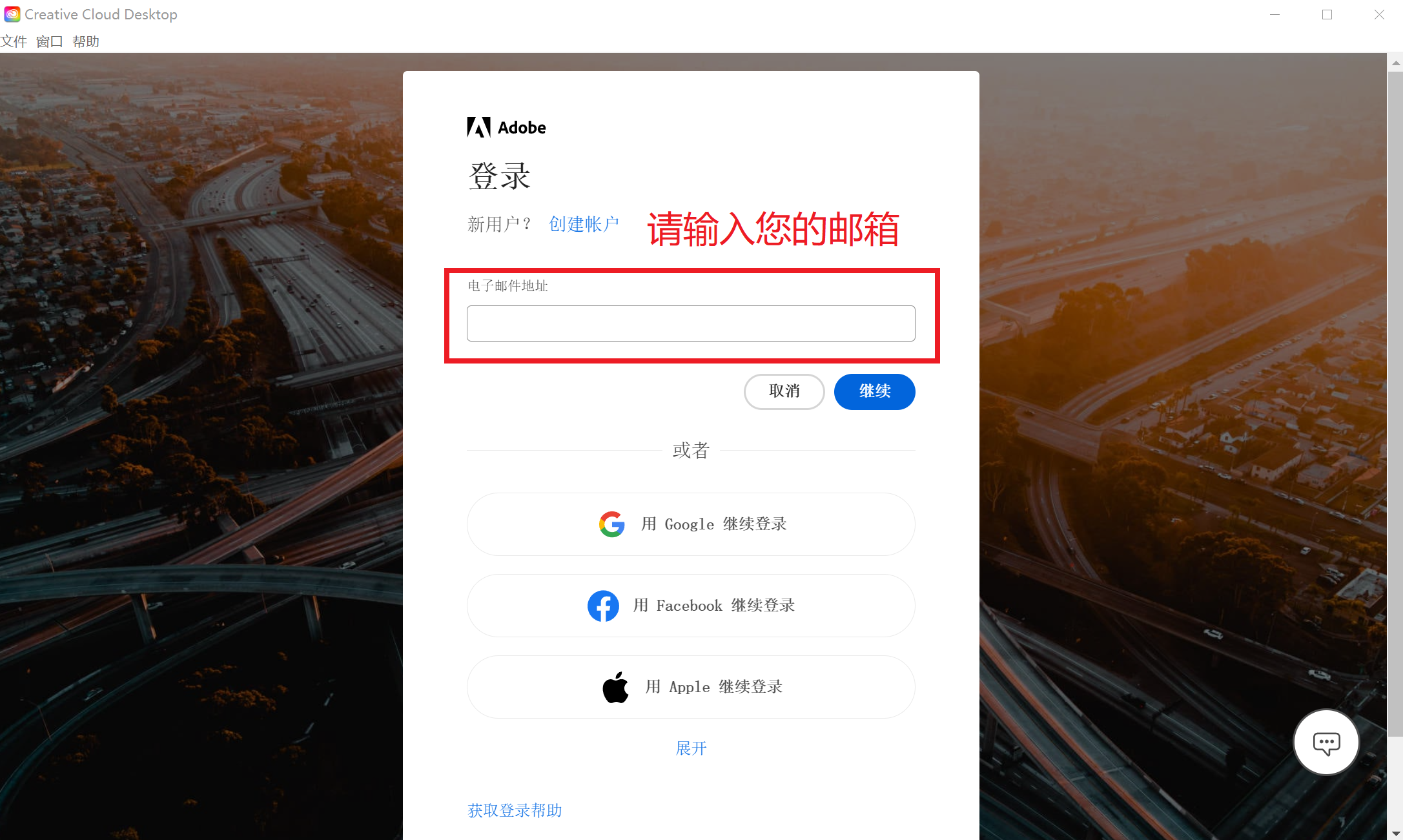
Method 2 (recommended) : Use via Adobe Creative Cloud
Please contact customer service and send your email to customer service. Customer service will inform you after authorization.
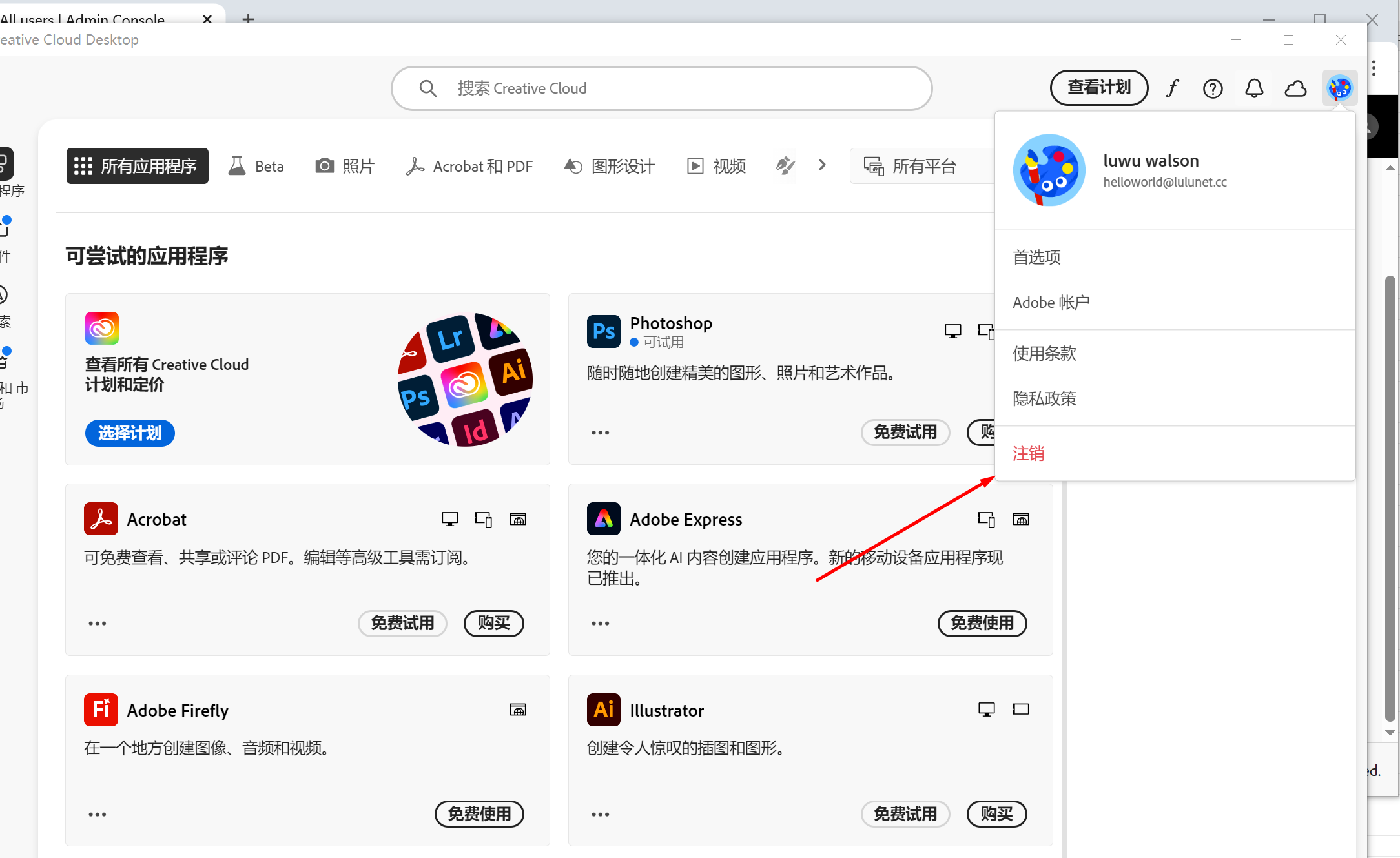
If you are currently logged in to Adobe Creative Cloud, please click on the profile picture in the upper right corner to log out and then log in again.
- Please enter your email address and click Continue
Note: Please use your email address when logging in, do not use the social login below
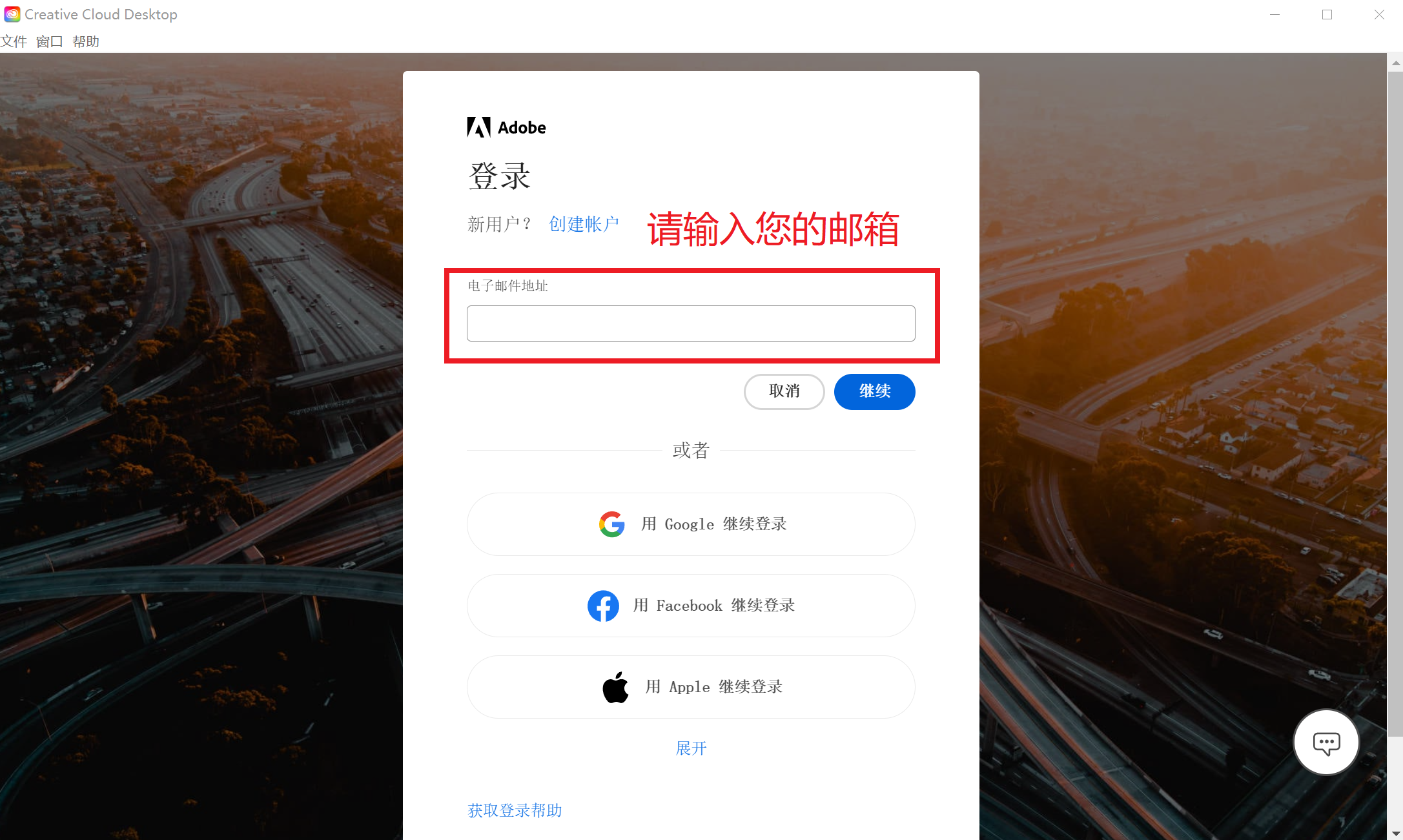
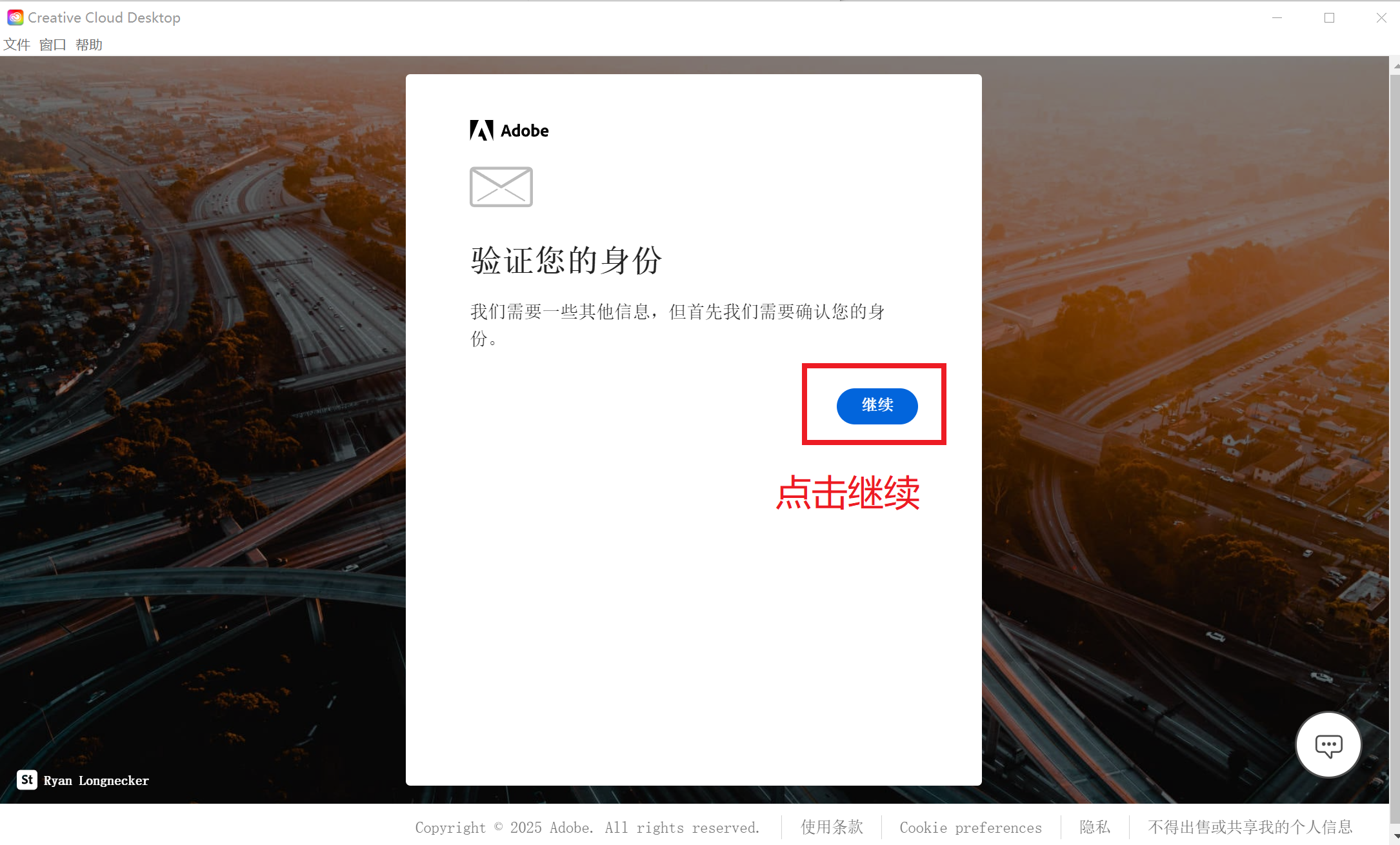
2. Please click Continue. A verification code confirmation message will appear later. Please get the verification code from your email, log in and copy it to the dialog box, then click Continue.
3. Complete your account settings: Please complete the Adobe registration according to the above prompts.
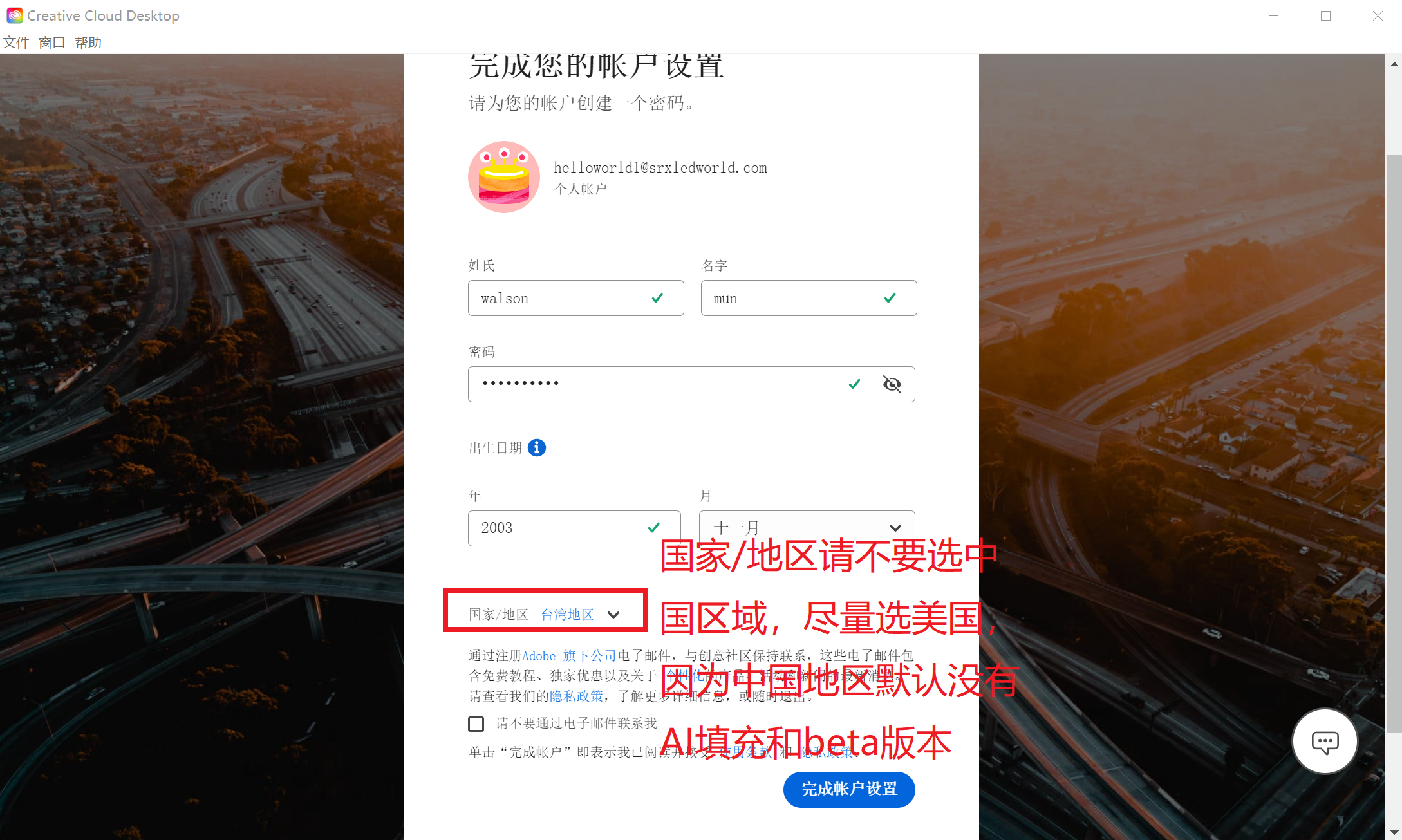
If you have registered before, you do not need to complete your account setup here
Note: Country/Region: Please do not select Mainland China, Hong Kong, or Macau. Adobe does not enable AI Generative Mapping by default in these regions, so it is best to select the United States.
When you log in to Creative Cloud, you may encounter the following three options, please select according to the instructions below.
- Join the team appears————->Select Join the team
- A prompt appears asking whether to move the file –> Please choose to save the file in personal cloud storage
- The configuration file login appears————>Please select the team profile to log in
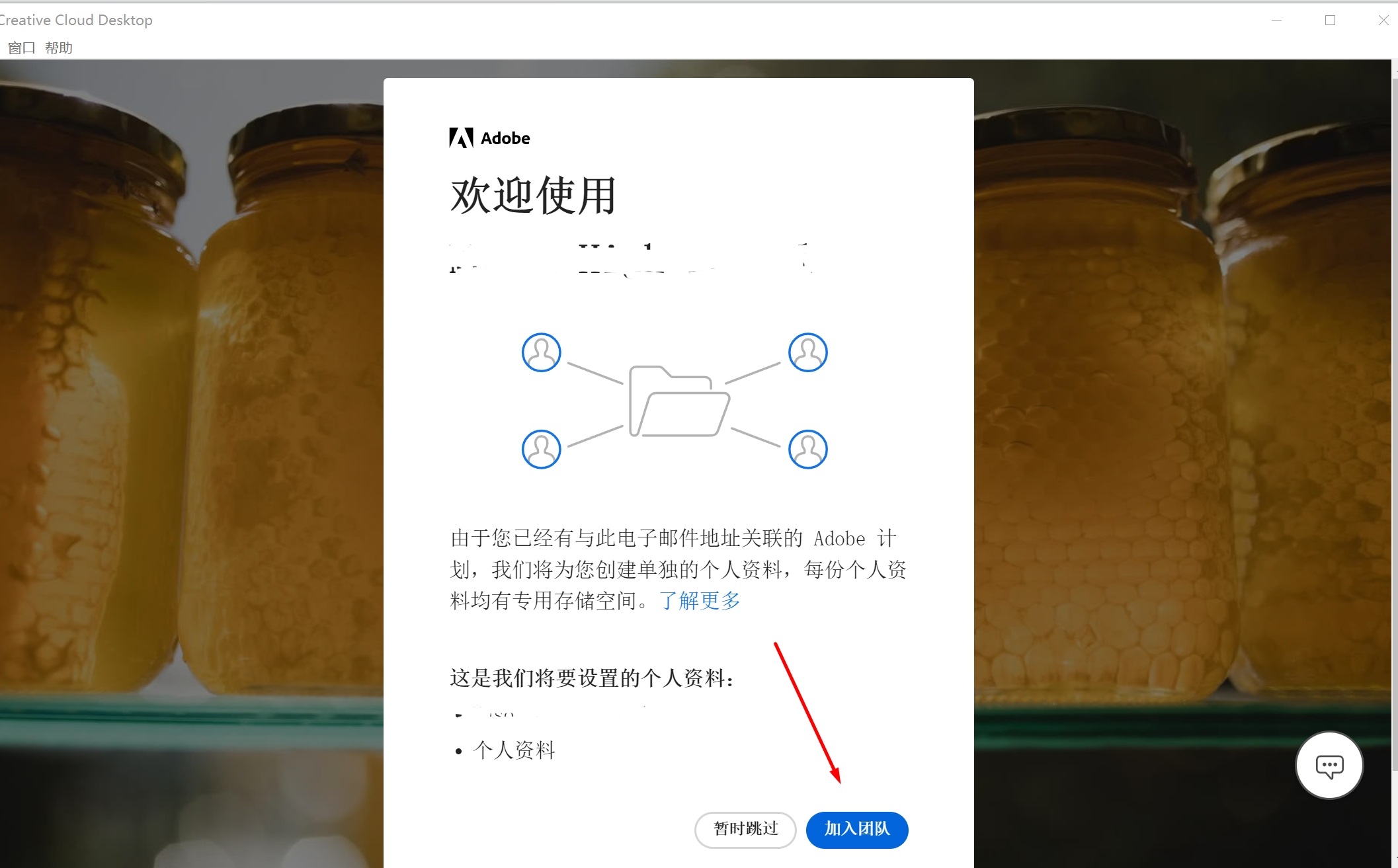
Choose to join the team
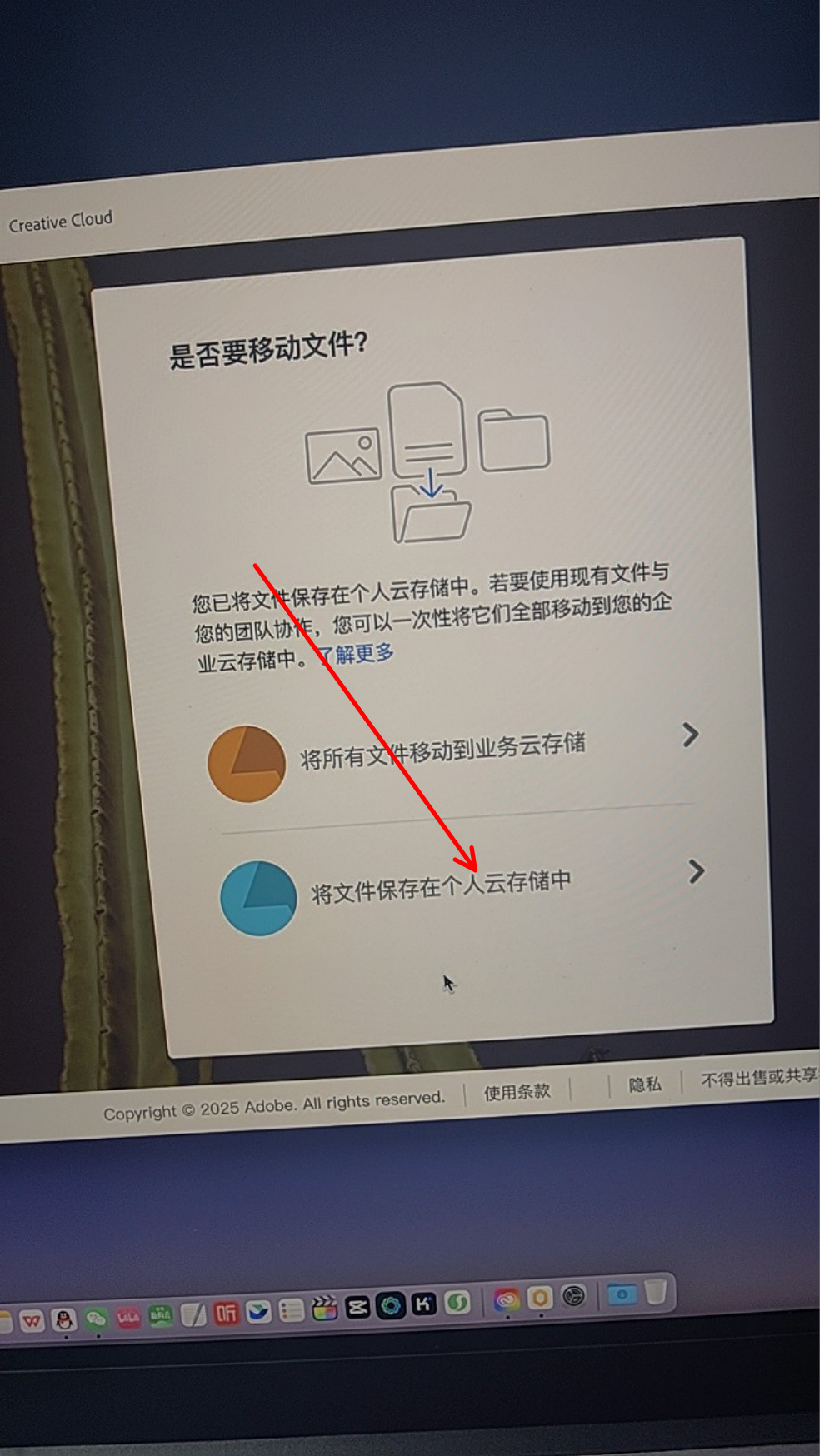
Please choose to save the file in personal cloud storage
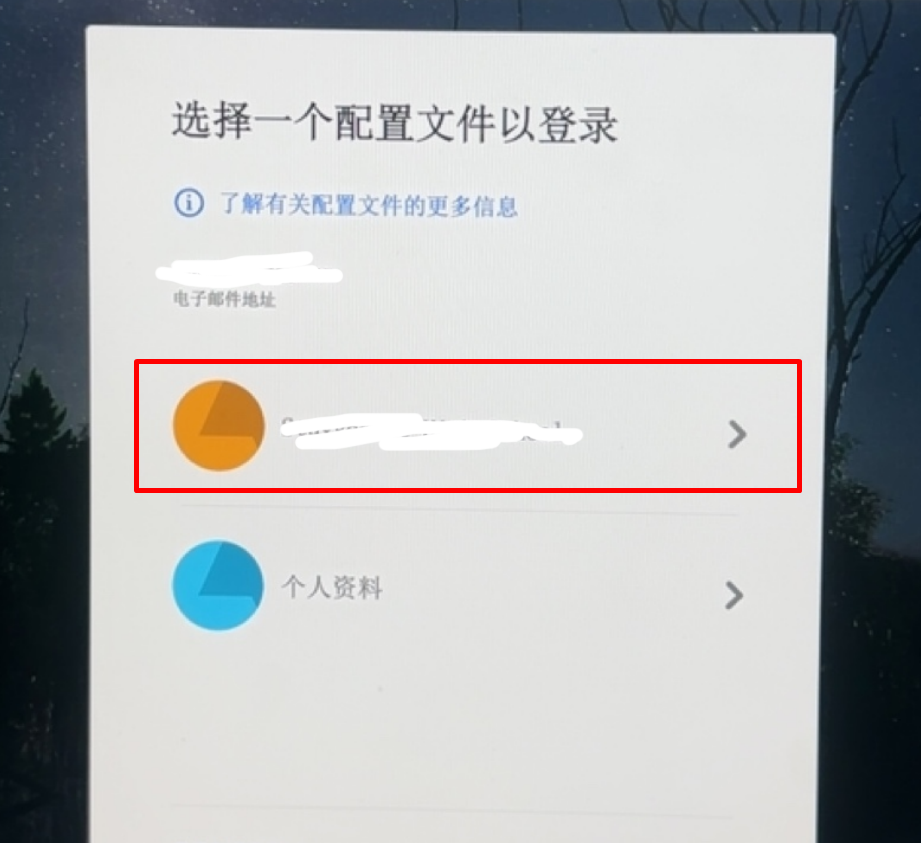
Please select team profile to log in – (do not select personal profile)
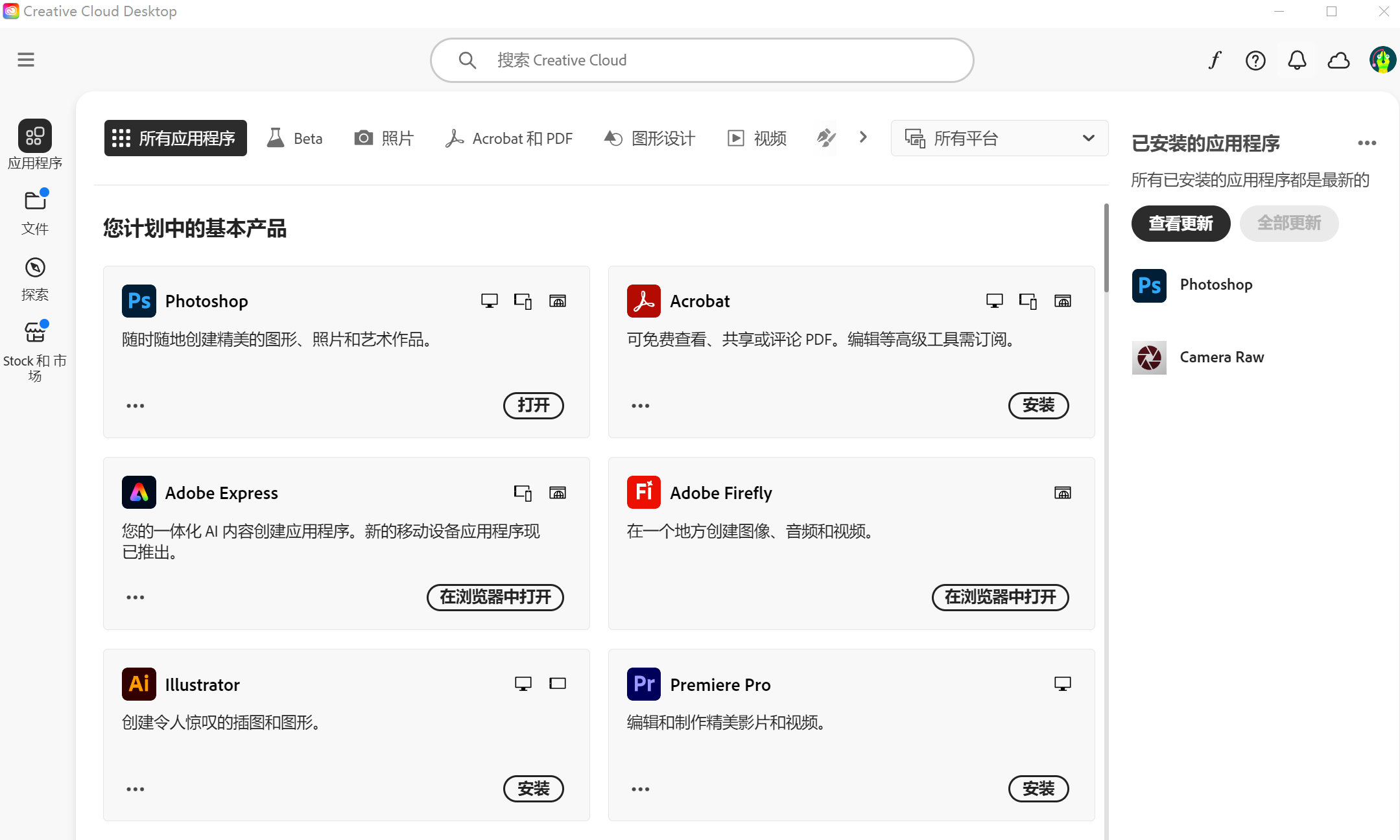
The following is a screenshot of successfully logging into Adobe Creative Cloud. You can install, download and use Adobe software here, such as Photoshop, Lightroom, Premiere, etc.
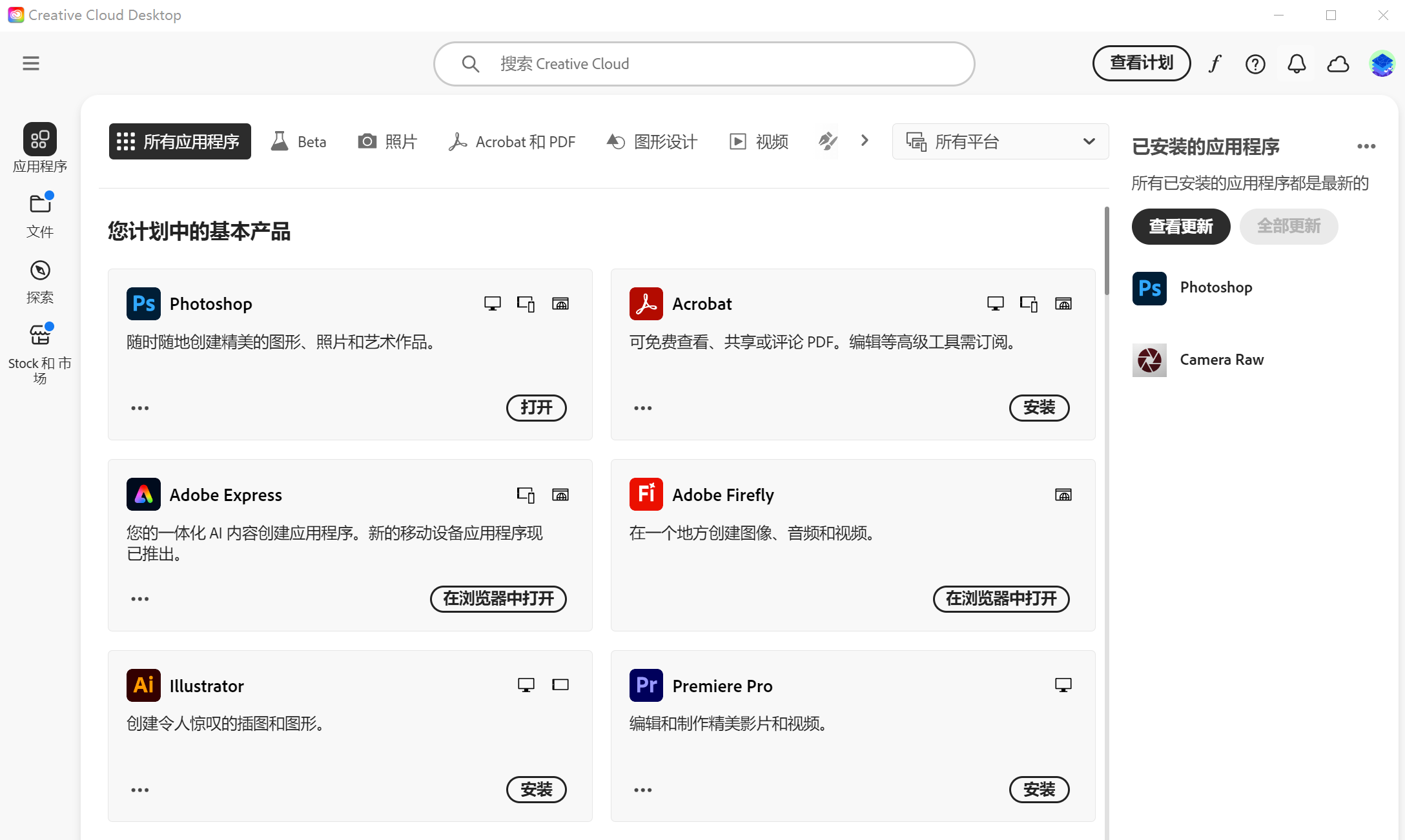
How to solve problems that occur when using Adobe?
- If you cannot use AI Generative Mapping and Beta version
Two conditions need to be met:
Condition 1: Please set the country or region where you register Adobe to the United States, Taiwan, Japan, etc.
Reason: The United States has imposed sanctions on China. Currently, the use of this product is restricted by default in Mainland China, Hong Kong, and Macau. If you have filled in the above regions, please re-register and send your email to the customer service. The customer will authorize you to use a new email address.
If you need to change your Adobe registration region, please provide a new email address to customer service. Customer service will reauthorize you and you can reselect the country and region at that time.
Condition 2: Open the scientific program, and the country and region of the program setting should preferably be the United States (please bring your own)
- There is a problem of not logging into Adobe Creative Cloud
Please reopen Creative Cloud and enter your email and password to log in again
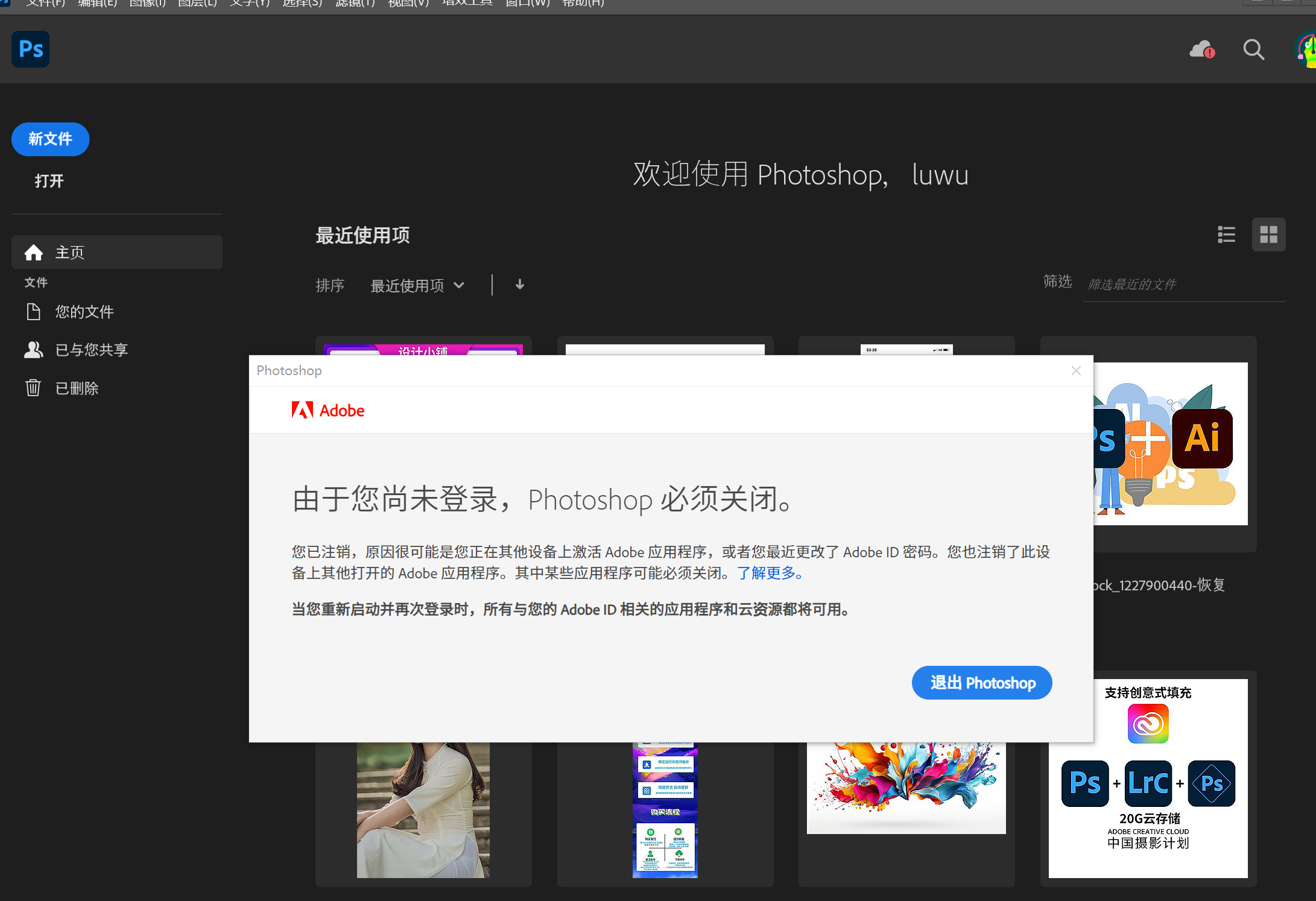
- The software needs to be purchased or cannot be used.
Because Adobe currently needs to consume credits to generate images with AI, the team will reset it regularly, so that your credits can be multiplied several times each month.If you don’t have enough credits, ask customer service to reset it. It’s free! Free! Free!
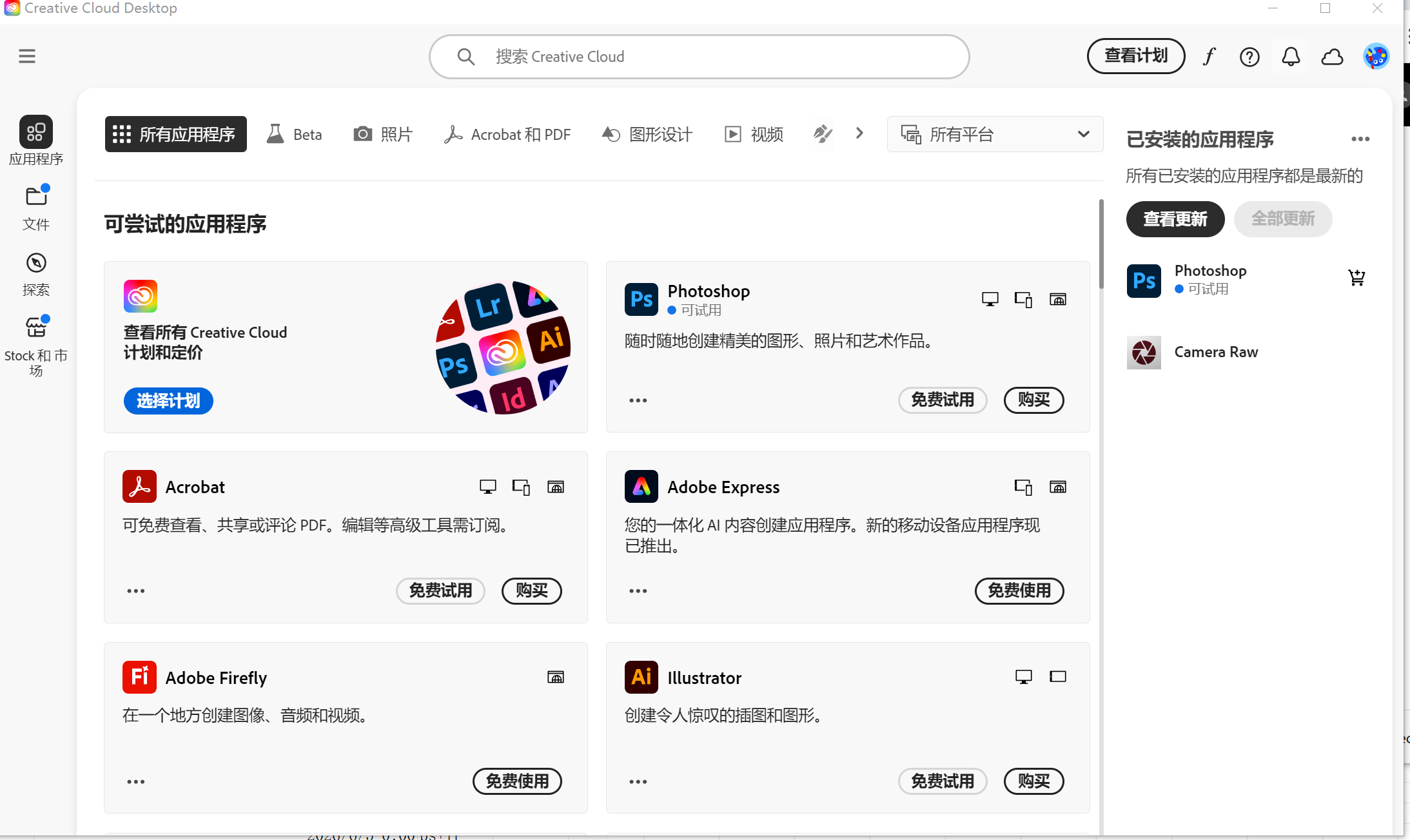
Solution: First click on the logout button in the upper right corner, then log in to your own email again. If a team appears, join the team and log in using the team information.
Step 1: Click on the avatar in the upper right corner, select Log Out, and then enter your own email address to log in (please do not use social login)
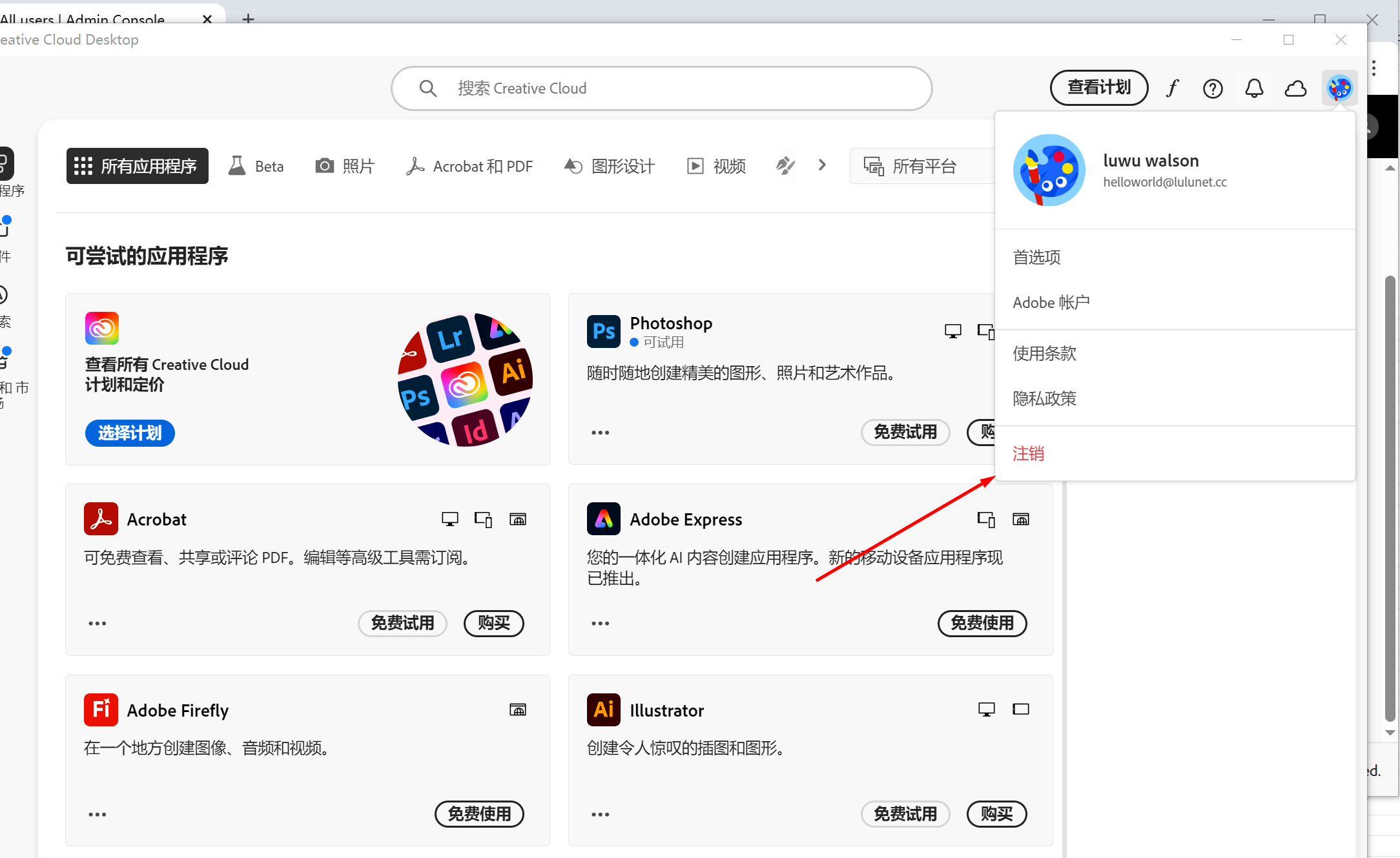
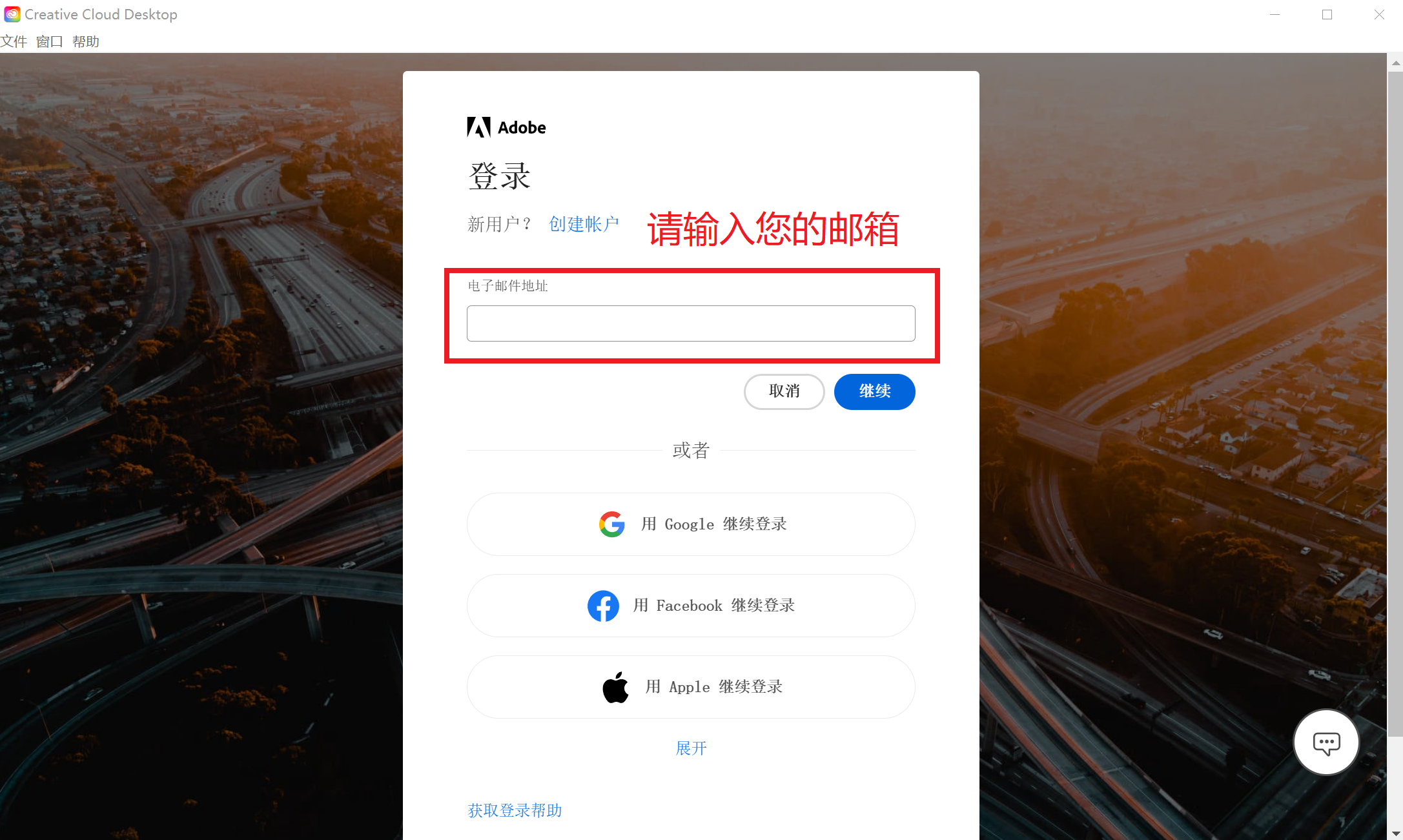
Step 2: If a team appears during the login process, select Join a team and select team profile to log in (please do not select personal profile to log in). Wait for a while and you can use it normally.
4. About the 7-day trial issue
Please don’t worry, you can continue to use it. Our team will complete the renewal within 7 days and it will not affect your use.
5. How to change the installation location and default language of Adobe software
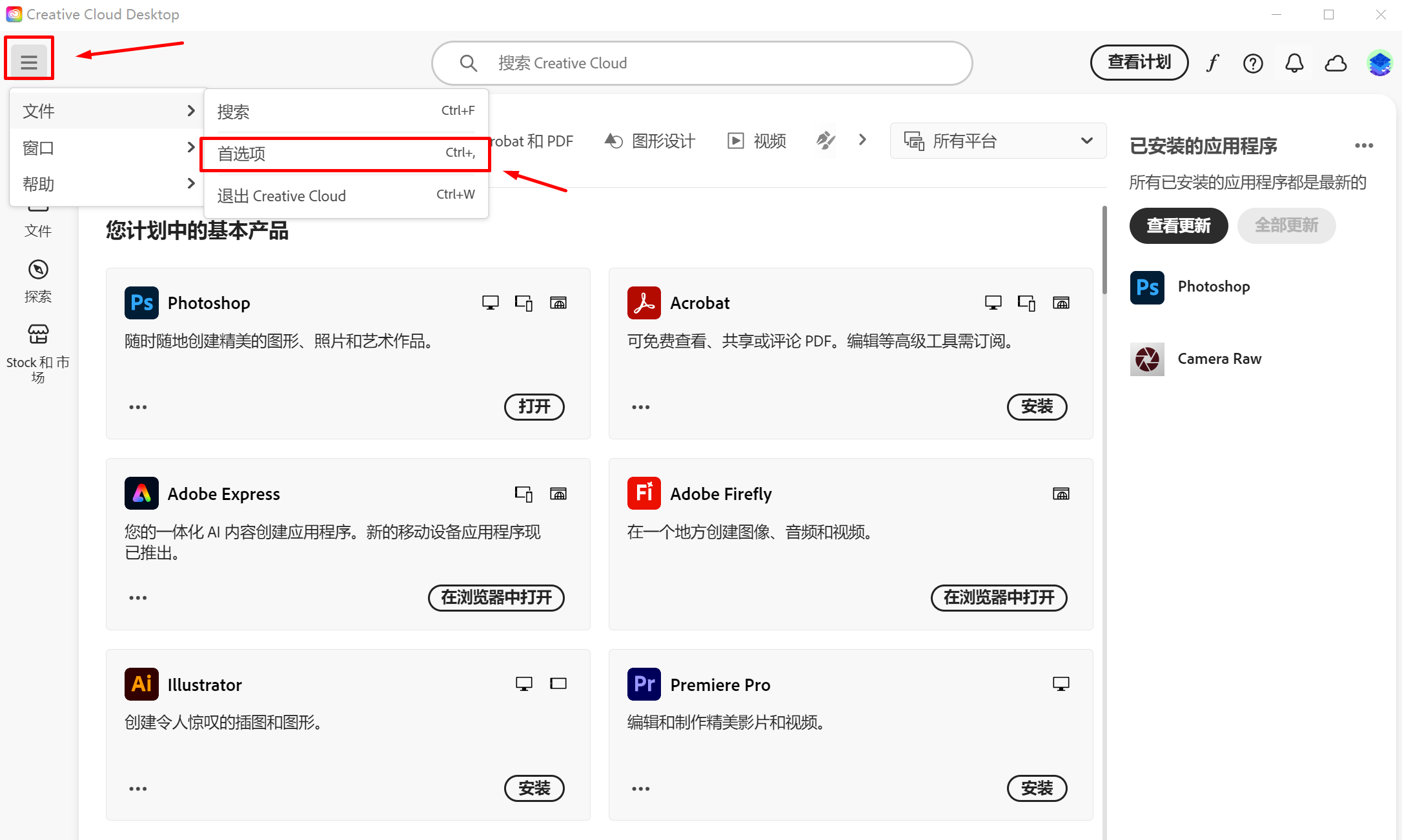
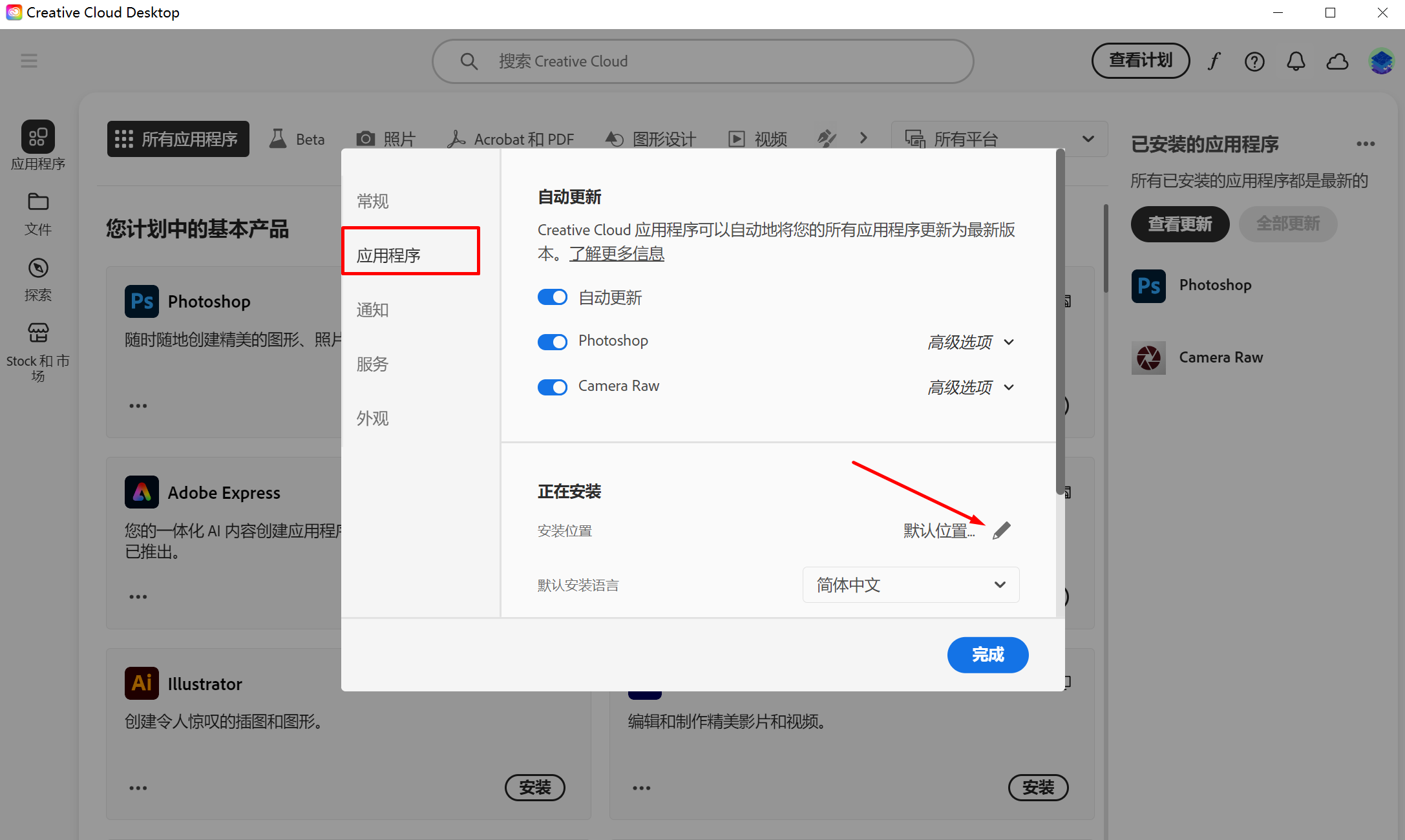
Please click Preferences in the upper left corner and switch to the application, where you can change the default installation location and program installation language